The basics of a good customer relationship management software

Let’s define CRM
As business owners and operators we’ve already heard the term ‘CRM’ being thrown around often between colleagues, but what does it mean? Well, that’s pretty obvious per the title of this blog post but if you haven’t got the hint already it stands for Customer Relationship Management.
In simple terms, its the systems and processes you adopt for managing your client (or customer) right from the first expression of interest as a lead, all the way through to managing the relationship going forward with your business (and even after they have stopped engaging in your business).
A CRM is ultimately has a very broad array of functionality, from the simplest duties of storing contact information, all the way through to analysing customer interactions and behaviors to give you valuable insights.
Why is a CRM system important for your business?
A Customer Relationship Management (CRM) system is really important for small business owners no matter the industry. If you SELL a product or a service to someone - a CRM is a must-have tool. Many business owners in more niche industries may argue the fact they “don’t need a CRM because they have it all in their head”, but ultimately you’re doing a dis-service to your business and its future growth potential by not putting systems, like a CRM, in place.
Here are several reasons why a CRM system is important:
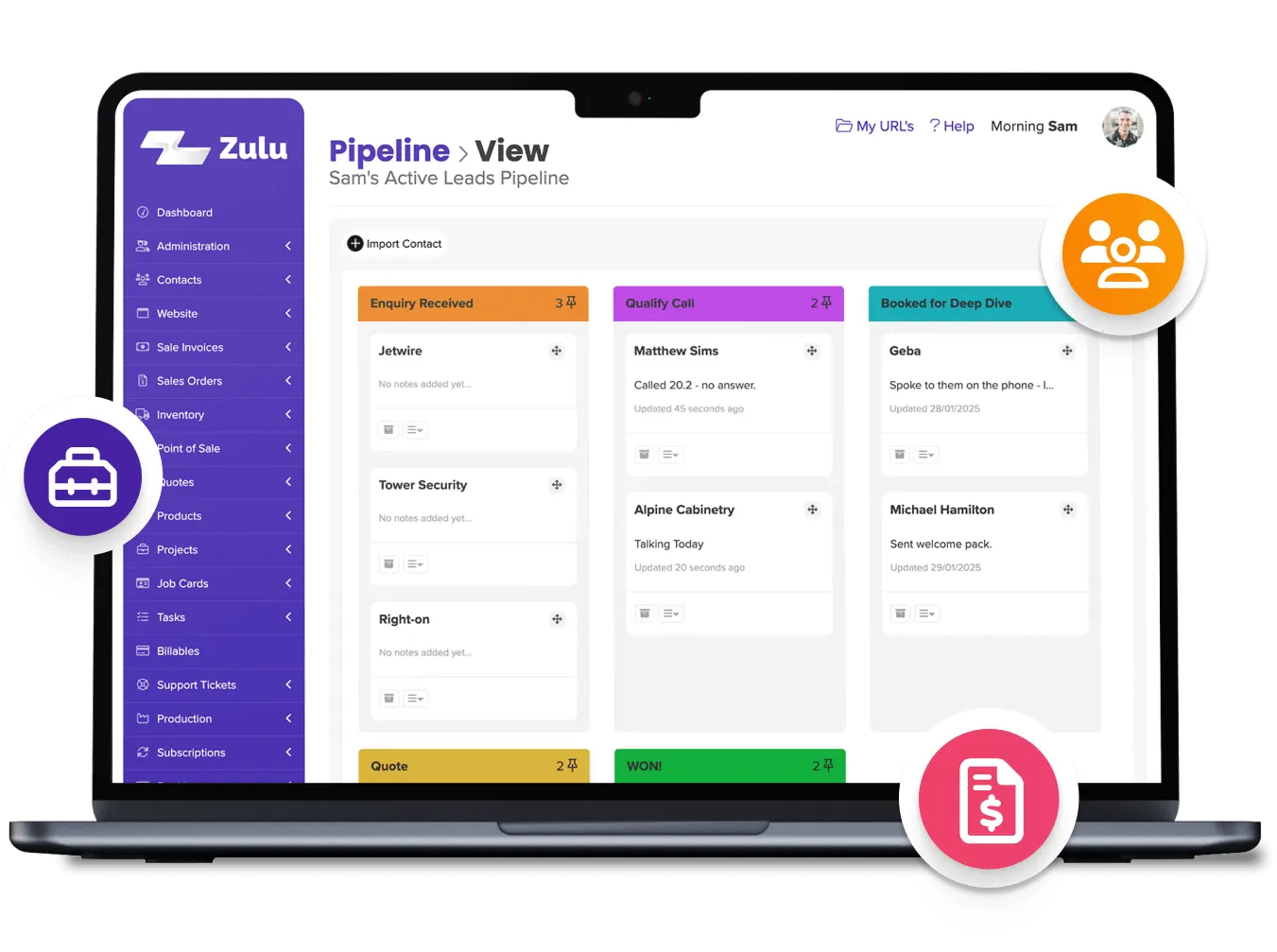
- Centralised Data Management: A CRM provides a centralised platform for storing all customer-related information. This allows business owners and their teams to access key details such as contact information, past interactions, preferences, and sales history in one place, ensuring that no valuable insights are lost. Systems like Zulu, have a built in CRM system that also directly interacts with other key business systems such as quoting, invoicing, project and stock management.
- Enhanced Customer Relationships: By maintaining detailed records of customer interactions, a CRM enables businesses to tailor their communications and services to individual clients. This personalised approach can strengthen relationships with your customers greatly. As you grow a team - a CRM can help give context behind each client before other members of your staff reach out to the client. A CRM can also be great at reminding you to touch-base with a client who you haven’t been in touch with. It’s much easier to get business and further opportunities from existing customers than it is from new customers.
- Improved Efficiency and Productivity: CRM systems automate routine tasks such as data entry, follow-up reminders, and scheduling, freeing up time for employees to focus on higher-value activities. Follow-up and communication is often a weak-point of many businesses therefore your CRM can prevent you losing potential deals by giving you that prompt when you forget to follow-up a prospect.
- Scalability: As small businesses grow, their CRM system can grow with them. A well-chosen CRM can adapt to increasing customer interactions and evolving business needs, ensuring that the system continues to provide value as the business expands.
- Data-Driven Decision Making: Utilising AI-powered CRM tools equips small business owners with predictive analytics capabilities. By analysing past customer behaviors, business owners can anticipate future actions and adopt strategies that enhance customer engagement and satisfaction.
- Collaboration and Communication: In a small business, effective collaboration among team members is vital. A CRM system enhances communication by providing shared access to customer data creating a better understanding of each client among your team and showing the client everyone understands his/her requirements. Avoiding the client thinking your team members have no clue is critical!
What are the key things to look out for
Competitive pricing
Finding a good CRM is hard. Reason being, most CRM’s are far too complicated. Many businesses (especially those in industries where there isn’t a very complex sales process) don’t require an extremely complex sales pipeline management system, nor do they necessarily need the ability to track opportunities down to the minute in terms of their status and follow-up. Many software’s that specialise in CRM are often quite expensive for the amount they end up being utilised by the actual business.
We hear it time and again “I have this program, I only use about a quarter of it though”. While on one hand its important to know of all the potential features and get your moneys worth, its also sometimes not feasible or necessary to use every feature in a CRM.
Therefore - finding a modern solution that is priced well for the functionality you will use is important.
Another area to be careful of around pricing is what will the CRM cost you as you scale? Any area of business where you invest in software generally comes with a recurring monthly cost that increases by the number of seats (staff) using the system.
So when you purchase your CRM - how many seats are included in the base cost? What does the cost look like as I add people on and does this fit my budget.
The right features
If you’re a real estate agent then you’re going to want to ensure your have a strong opportunity management system in your CRM - so you can easily track appraisals and the pipeline leading from appraisal, to contract, to listing. If you’re a pet groomer, having a very strong follow-up system is critical to ensure you can regularly reach your clients (and their pets!) with ease via phone, SMS and automated email templates.
Consultants want a CRM with the ability keep thorough notes, be these directly inputted into the system, or through files, voice memos and other reference documents. These can be used to address customer queries and recall previous history with ease.
It is important to trial a few CRM’s and see which one feels the best fit for your business. Because many CRM’s ultimately all do the same things, but certain ones will fit better than others for your business.
Migrating your data and onboarding
When migrating from an existing CRM or a conventional setup like Excel spreadsheets or Microsoft Word, several key considerations are crucial for a successful transition. Here are some of the most important factors to keep in mind:
1. Data Quality and Relevance
Before initiating the migration, assess the quality of the data you currently have. This includes identifying outdated or inaccurate entries that may not be useful in the new CRM. The aim is to only transfer high-quality, relevant data to ensure that your new system is efficient and effective. Cleaning up your data beforehand can reduce the time spent on the migration process and improve the overall quality of data in your new CRM.
2. Selecting the Right CRM
Choose a CRM that supports easy import of existing customer details and their history. Look for features like data mapping and validation tools that ensure your data fits into the new system’s structure. Many modern CRMs allow for importing data from Excel, CSV files, or even directly from previous CRM systems. It’s essential to verify that your chosen CRM can accommodate your data formats and any specific requirements you may have.
3. Data Backup
Before proceeding with the migration, ensure that all your data is backed up securely. This includes customer databases, user documents, document templates, and past reports. Having a reliable backup will protect you from potential data loss during the migration process due to glitches or unexpected issues.
4. Using Data Migration Tools
Data migration from your existing arrangement is very important. Does your new CRM have a facility to easily import your old data? If not, does their on-boarding team have a solution to save you pulling your hair out?
While data migration charges are fair from software companies, try find a CRM with an integration or data import assist that makes it easy (and therefore free) to do it yourself.
Insights and metrics
Insights and metrics derived from a CRM system play a crucial role in driving business success in all areas. By leveraging advanced reporting and analytics tools, businesses can gain a deeper understanding of their customer behaviors, sales trends, and overall performance based on who they’re dealing with. These insights are often presented on customisable dashboards, allowing different teams to access the most relevant data for their specific uses. For example - your accounts administrator can use the CRM for tracking metrics on average days to pay, as well as make notes about debtor follow-up calls and emails. Sales teams on the other hand can track individual performance metrics, helping to identify strengths and areas for improvement. Additionally, CRM analytics can give you detailed pointers for determining your best type of customer and helping you target marketing campaigns to these segments.
Ease of use and speed
When selecting a CRM system, ease of use is paramount. A platform that is intuitive and user-friendly can significantly enhance team productivity and engagement. By choosing a system that is functional and straightforward, you enable your team to focus on building relationships with customers rather than grappling with complex software. For instance, a CRM that offers streamlined navigation, clear dashboards, and customisable features allows users to access essential tools and information quickly. This ensures that team members, regardless of their technical expertise, can efficiently manage customer interactions, track sales, and generate reports without unnecessary frustration.
In addition to being easy to use, a fast and responsive CRM system is essential for maintaining momentum in a fast-paced business environment. Systems that lag or require multiple steps to complete tasks can hinder productivity and lead to missed opportunities. A responsive platform should provide real-time updates, swift data retrieval, and seamless integration with other tools, ensuring that team members can access critical information on demand. By prioritising speed and responsiveness, businesses can enhance customer service, reduce sales cycle times, and improve overall efficiency. Ultimately, a well-designed CRM system that combines usability with performance can empower teams to operate at their best and deliver exceptional experiences to customers.

Summary of the basics in choosing a CRM
So in closing, we have discussed characteristics of effective customer relationship management (CRM) software. Emphasising not only the features and functionality, but also other operational factors such as cost, implementation and ease of use.
If you are yet to embark on hunting down a suitable CRM for your business, first start by simply Googling and making a list of the top CRM software’s in your region. Check the functionality and pricing, then reviews second, and finally - dive into a trial of each. Do not settle for just a demo, make sure you get your hands on the system and use it before committing. As many salespeople in demos may attempt to lock you into a contract on a system you haven’t even properly trialed. Once you have trialed and tested the range, you will then hopefully have a good idea of what the best solution is for your business.
Zulu has a simple business CRM system ready to go off the shelf, that you can have a 30-day free trial of at any time. Simply visit the free trial page here.